Claude Cowork AI Agent Expands to Mobile and Web Platforms
Published by VerseZip Tech Desk
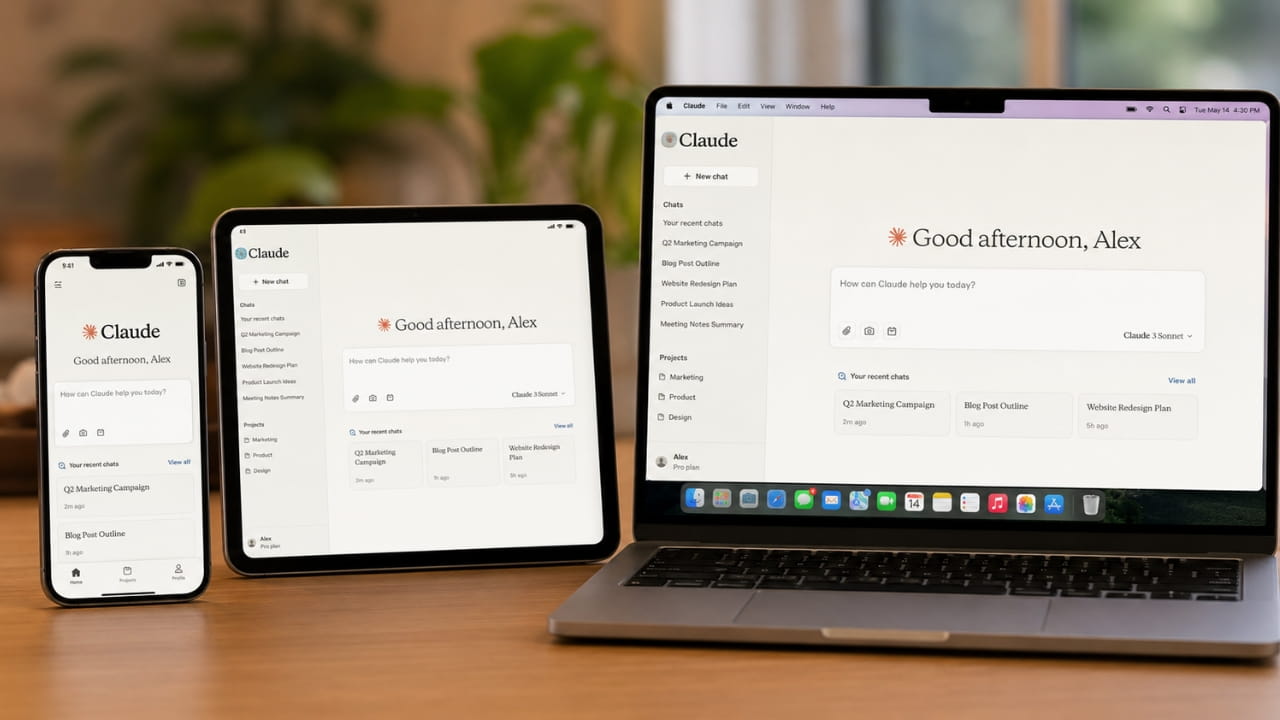
You no longer need to keep your laptop open to manage your automated tasks. Anthropic officially expanded the Claude Cowork AI agent to mobile devices and web browsers. Originally launched as a desktop-only application in January 2026, this tool now lets you assign, monitor, and approve tasks directly from your smartphone. Beta access is currently rolling out to Max subscribers on the iOS and Android apps.
Monitor the Claude Cowork AI Agent from Your Phone
Start a task at your desk and walk away. Cowork continues operating in the background even when your main computer is offline. For example, you can schedule a client preparation task for 6 AM, and the AI will review email threads, news, and transcripts to draft a briefing document before you wake up. If the AI needs human approval, it sends a notification straight to your phone so you can quickly redirect the workflow.
Key Features of Claude Cowork
Why the Claude Cowork AI Agent Handles Administrative Work
Anthropic wants the Claude Cowork AI agent to act as a general administrative assistant rather than a strict programming tool. The company analyzed 1.2 million anonymized sessions from May 2026 across 600,000 organizations. Business process operations made up 33.4 percent of all usage, including organizing spreadsheets and setting up human resources checklists. Content creation followed at 16.4 percent, while software development accounted for just 8.7 percent of the workload.
| Usage Category | Percentage | Examples |
|---|---|---|
| Business Process Operations | 33.4% | Spreadsheets, HR checklists |
| Content Creation | 16.4% | Writing, drafting |
| Software Development | 8.7% | Coding, debugging |
| Other Tasks | 41.5% | Various administrative work |
Data based on 1.2 million anonymized sessions from May 2026 across 600,000 organizations.
The Desktop Version Remains the Primary Hub
Mobile access brings convenience, but the desktop application remains the most powerful version of the tool. The desktop app can directly access your local files and navigate your web browser. However, bringing the service to the web opens the door for users who cannot install custom software on their work computers. Anthropic also merged standard Claude chats and Cowork into a single interface so you can easily find your projects across any device.
Platform Comparison
- Desktop: Most powerful version, local file access, browser navigation
- Mobile (iOS/Android): Task monitoring, approval notifications, beta for Max subscribers
- Web: Access for users who cannot install desktop software
- Unified Interface: Claude chats and Cowork merged into one interface
- Cross-Platform: Find projects across any device
Competing for the Office Assistant Market
This mobile expansion places Anthropic in direct competition with other major tech companies. OpenAI is pushing its Codex platform in a very similar direction. While Codex started specifically for programmers, office workers now use it heavily for presentations, data analysis, and daily research. Tech companies are currently racing to embed these smart assistants into the platforms employees already use to complete their jobs.
Frequently Asked Questions
What is the Claude Cowork AI agent?
It is an administrative assistant created by Anthropic. The tool can read emails, manage calendars, and draft documents in the background without needing your constant supervision.
How do you access Claude Cowork on a phone?
Max subscribers can find the tool inside the sidebar of the official Claude mobile app. It is currently available in beta for both iOS and Android devices.
Do I need to keep my laptop open for scheduled tasks?
No, scheduled tasks run completely in the background. The system processes the work while your devices are offline and sends a notification to your phone when it needs approval.
What types of tasks does Claude Cowork handle best?
Based on usage data, Cowork excels at business process operations like organizing spreadsheets and HR checklists (33.4%), content creation (16.4%), and various administrative tasks.
Is Claude Cowork available on the web?
Yes, Anthropic has expanded Cowork to web browsers alongside mobile platforms. This allows users who cannot install desktop software to access the tool.
Final Thoughts
The shift from specialized coding tools to everyday office assistants marks a major step forward for artificial intelligence. Managing spreadsheets and drafting emails takes up countless hours of the average workday. Test the mobile beta today and see how much time you can save on your next administrative project.
With Claude Cowork now available across desktop, mobile, and web, Anthropic has positioned itself as a serious competitor in the AI office assistant market. The ability to monitor and approve tasks from anywhere gives users unprecedented flexibility in managing their workflows.
Share this Technology Update:
Leave a Comment
Your feedback is important to us. Submitted comments are kept private and are for internal review only.