Google Vids Update Introduces Multi-Video AI Generation
Published by VerseZip Tech Desk
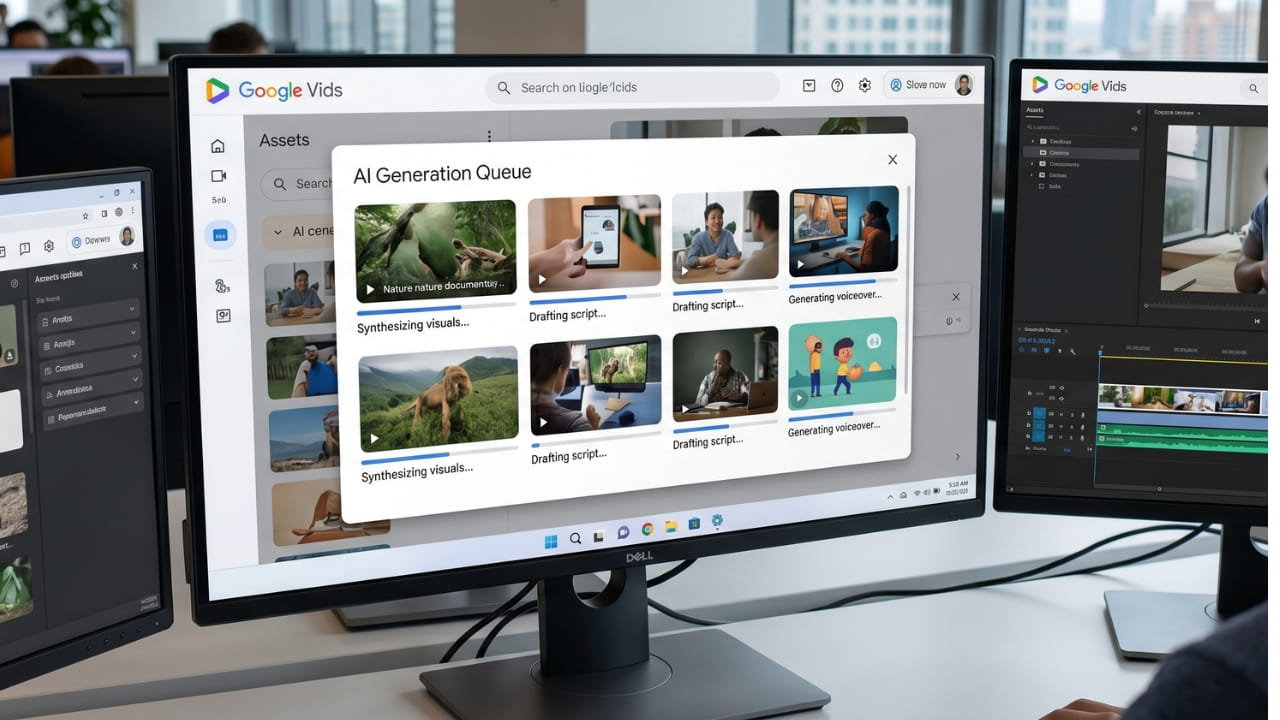
Google has updated Google Vids to make AI video creation faster and more flexible. Users can now generate multiple clips at once and extend existing videos using the latest Veo model integration.
This update removes a major bottleneck for creators. You no longer need to wait for one clip to finish before starting another, as the system now supports simultaneous video generation.
Generate Multiple AI Videos Simultaneously
The new feature allows you to submit several prompts at the same time. The system processes these requests in parallel rather than one after another.
This change helps you compare different concepts or visual styles quickly. It significantly reduces the time you spend waiting for your creative projects to render.
Key Features of the Update
Extend and Refine Your Video Clips
Google also added AI-powered video extension tools to help you create longer content. The Veo model handles this by lengthening your existing clips while maintaining scene continuity.
You will notice consistent characters and smooth transitions throughout your extended footage. This improvement ensures your final output looks polished, even when you build upon short original clips.
| Feature | Description | Benefit |
|---|---|---|
| Multi-Prompt Generation | Submit multiple prompts at once | Compare styles, save time |
| Parallel Processing | Render multiple clips simultaneously | Eliminates waiting time |
| Video Extension | AI lengthens existing clips | Create longer content easily |
| Veo Model | Maintains continuity in extended footage | Consistent characters and scenes |
Availability and User Access
You can find these tools directly inside the Google Vids web app without needing special admin settings. The rollout covers many users, including Business Starter, Standard, Plus, and Enterprise customers.
Education Plus users and nonprofits also gain access, alongside personal Google account holders and Google AI Pro subscribers. If you use the AI Expanded Access add-on, you receive higher priority limits to process more video requests at once.
Who Can Access These Features
- Google Workspace: Business Starter, Standard, Plus, Enterprise
- Education: Education Plus users
- Nonprofits: Eligible nonprofit accounts
- Personal: Google account holders
- AI Pro: Google AI Pro subscribers
- Priority Limits: AI Expanded Access add-on users
- No Admin Config: Features available directly in web app
Why This Update Matters
Video content creators are navigating an evolving regulatory landscape regarding digital income. Efficiency tools like Google Vids arrive as businesses optimize their broader digital infrastructure.
The ability to generate multiple videos in parallel significantly reduces production time. For marketing teams and educators, this means more content in less time without sacrificing quality.
Frequently Asked Questions
Can I create more than one video at a time in Google Vids?
Yes, the latest update allows you to submit multiple prompts simultaneously. The system processes these requests in parallel, saving you significant time.
How do I extend an existing video clip?
You use the new AI-powered video extension feature within the web app. The Veo model extends your footage while keeping characters and scenes consistent.
Is this feature available for free accounts?
Yes, the update is rolling out to personal Google accounts as well as various Workspace plans. Higher priority limits apply to users with the AI Expanded Access add-on.
Do I need an administrator to enable these tools?
No, you do not need any administrator configuration. The features are available directly within the Google Vids web app for all eligible users.
What is the Veo model?
Veo is Google's AI video generation model integrated into Google Vids. It handles video extension and ensures consistent characters and smooth transitions in your footage.
Final Thoughts
These updates make Google Vids a practical choice for marketing teams and educators who need content on a tight schedule. By reducing manual processing time, Google gives creators more freedom to focus on their storytelling.
The multi-video generation and AI-powered extension features represent a significant leap forward in AI-assisted video creation. Whether you are producing social media content, educational materials, or marketing videos, these tools can help you work more efficiently and creatively.
Share this Technology Update:
Leave a Comment
Your feedback is important to us. Submitted comments are kept private and are for internal review only.