New Windows 11 Update Brings Major Desktop Changes
Published by VerseZip Tech Desk
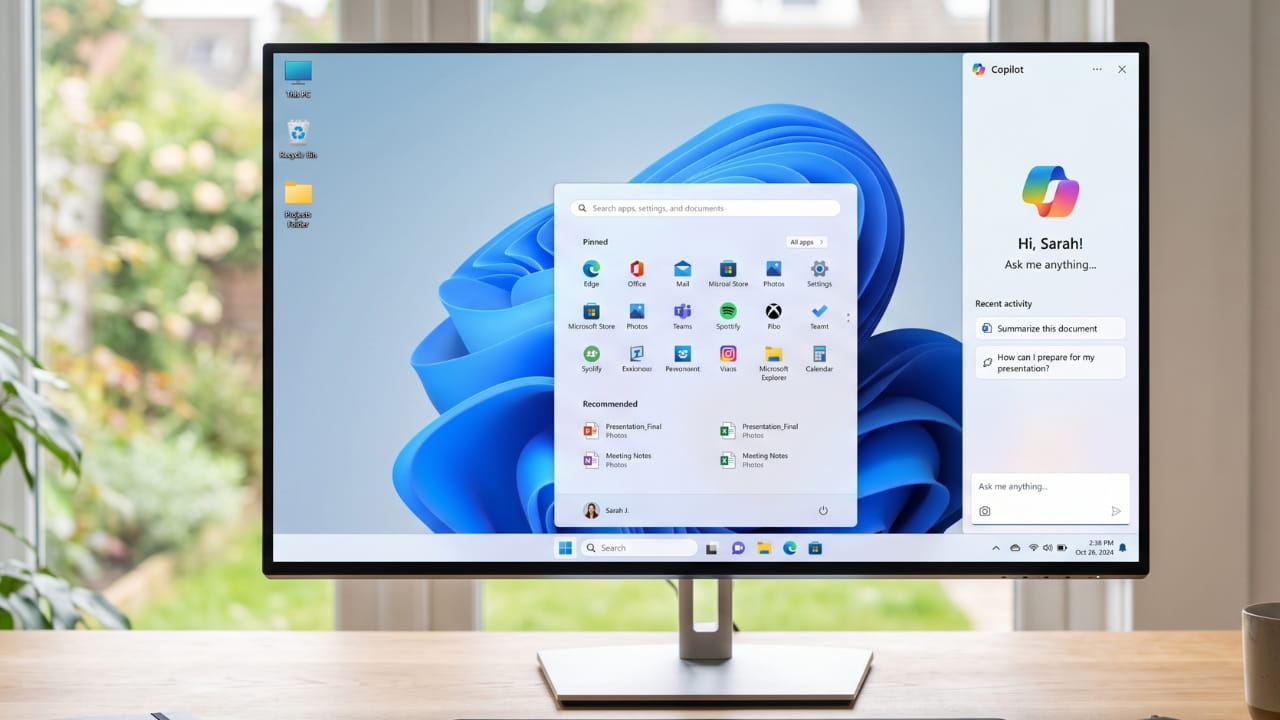
Microsoft just confirmed its next annual feature rollout for the second half of 2026. This upcoming Windows 11 update, known as version 26H2, will arrive as a small enablement package rather than a massive operating system installation. It follows the same servicing model as previous updates, meaning compatible systems will smoothly transition to the new version.
Because Microsoft now drops new features through monthly updates, many of these upgrades might already sit on your computer. When the official package drops, it will simply activate these latent tools and extend your official system support for two more years. Users upgrading from much older versions of Windows will receive all of these accumulated improvements at once.
Ask Copilot and Control Your Windows 11 Update Search
The upcoming system introduces an optional Ask Copilot search box directly into the Windows search bar. This feature lets you ask AI questions while simultaneously hunting for local files, applications, and system settings. You can easily turn this feature on or off under your taskbar personalization settings without losing the traditional search experience.
Additionally, Microsoft is fixing a major user complaint by letting you turn off Bing web results entirely. This means your search panel will only scan your local hard drive and ignore cluttered internet results or Microsoft Store suggestions. You can find these new toggles under the privacy and security settings menu.
Key Features of Windows 11 26H2
How the Windows 11 Update Changes Your Taskbar and Start Menu
This version of Windows will finally restore classic taskbar customization options that users wanted for years. You can soon move the taskbar to different positions on your desktop and reduce its overall size. These long-awaited controls will live directly under your taskbar behaviors menu.
The Start menu also receives a massive layout cleanup. You can manually resize the menu instead of letting Windows pick a size based on your monitor resolution. Furthermore, you can hide your username and profile picture to protect your privacy during live screen shares or workplace presentations.
| Feature | Old Behavior | New Behavior |
|---|---|---|
| Taskbar Position | Fixed at bottom | Moveable to top or sides |
| Taskbar Size | Fixed | Resizable |
| Start Menu Size | Auto-adjusted | Manually resizable |
| Profile Display | Always visible | Can be hidden |
| Search Results | Includes Bing | Can disable web results |
Smarter Update Management and Stronger Protection
Microsoft is changing how the operating system handles monthly restarts. The system will group driver, firmware, and quality updates together to target only one necessary restart per month. You can also use a calendar tool to pause updates for up to 35 days repeatedly whenever you need uninterrupted workflow.
Security gets a big boost through a feature called Administrator Protection. Instead of keeping your admin privileges running constantly, Windows will create a temporary account to handle specific high-level tasks. This feature replaces the old User Account Control and relies on Windows Hello for instant verification.
Security and Update Improvements
- One Restart Per Month: Grouped updates reduce system interruptions
- Extended Pause: Pause updates for up to 35 days
- Administrator Protection: Temporary admin accounts for high-level tasks
- Windows Hello: Instant verification for admin actions
- Replaces UAC: More secure than traditional User Account Control
A Modern Run Dialog Box Interface
The classic Run dialog box is getting its first visual makeover in decades. The modern version features rounded corners, better spacing, and a much wider command field to match the rest of the operating system interface.
As you type, the box will display matching applications and their official icons alongside a history of your recent commands. Microsoft will initially make this sleek design optional, allowing users to toggle between the classic and modern versions in their system settings.
Frequently Asked Questions
When will the new Windows 11 update arrive?
Microsoft plans to launch the Windows 11 version 26H2 update during the second half of 2026. Users already running recent versions will receive it as a quick, lightweight enablement package.
Can I turn off web results in the new Windows search?
Yes, the upcoming update adds a toggle called "Show suggested search results" to completely disable Bing search results in your local search bar. This forces Windows to only display local files, settings, and apps.
What is Administrator Protection in Windows 11?
Administrator Protection is a new security feature that replaces the traditional User Account Control. It creates temporary, short-lived accounts to run high-level tasks and closes them immediately afterward to block malware from gaining permanent access.
Can I move my taskbar to the top or side of the screen?
Yes, the 26H2 update introduces testing options to move the taskbar to different desktop positions. It also allows you to shrink the taskbar size according to your visual preference.
Will the Ask Copilot feature replace regular Windows Search?
No, the Ask Copilot search box is entirely optional. Users can choose when to enable it under their taskbar personalization settings, and it works alongside traditional local file search.
Preparing For the Rollout
Keep an eye on the Windows Insider Program Experimental channel to track these changes before they roll out to the public. Microsoft may still alter or remove some of these features based on early user feedback. If you want to prepare your PC for these upcoming features, make sure your system stays current with the latest monthly security updates.
Share this Technology Update:
Leave a Comment
Your feedback is important to us. Submitted comments are kept private and are for internal review only.