Android 17 Adds Secret Bluetooth Audio Upgrade for Pixels
Published by VerseZip Telecom Desk
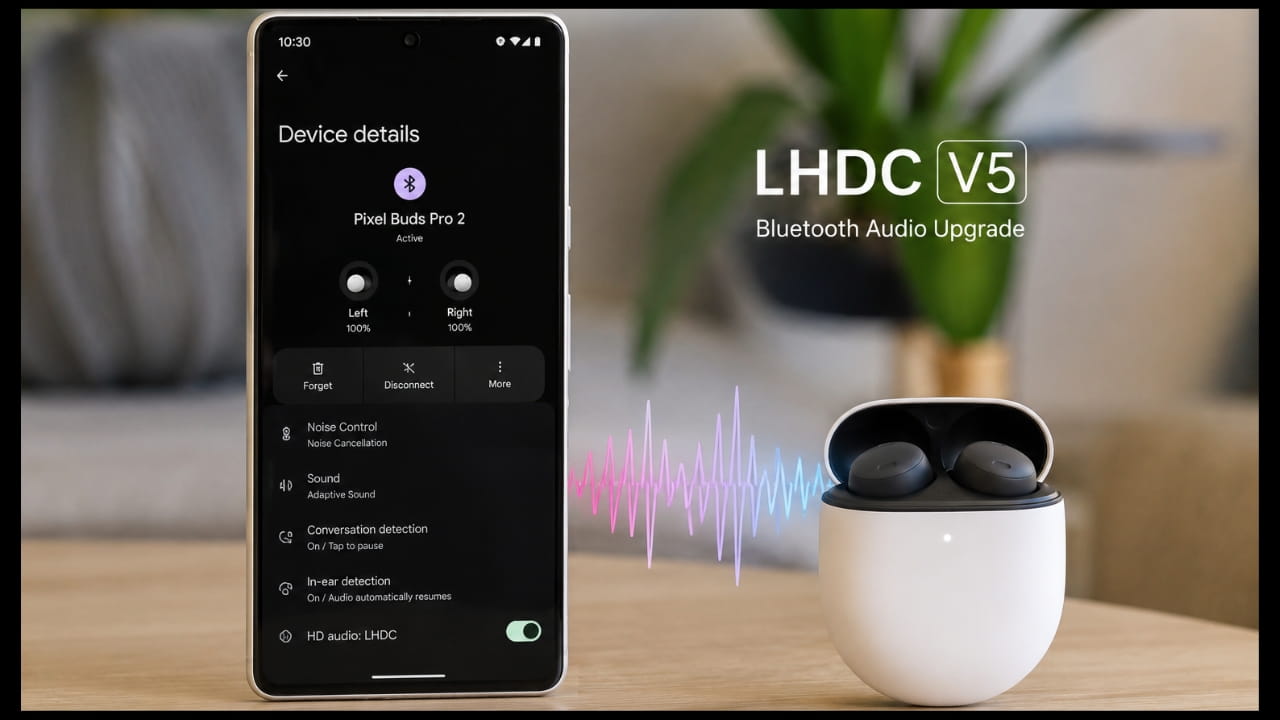
Google quietly included a powerful feature in the latest Android 17 update that enhances your wireless listening experience. This update adds support for the LHDC v5 Bluetooth codec to Pixel phones, though the company omitted this detail from its official release notes.
The change allows for superior music and audio playback quality. Pixel owners can now access this high-resolution audio standard directly on their devices.
What is the LHDC v5 Audio Upgrade?
LHDC stands for Low Latency High-Definition Audio Codec. It serves as a standard for transmitting high-quality audio wirelessly over Bluetooth connections.
This codec supports audio sampling rates up to 192kHz with 24-bit depth. These specifications enable your wireless earbuds or speakers to reproduce sound with significantly more detail than standard Bluetooth codecs.
Key Features of LHDC v5
Benefits of the New Bluetooth Codec
The LHDC v5 codec improves the wireless connection in two main ways. It focuses on both speed and data density to provide a clearer listening experience.
The codec reduces connection latency to just 80 milliseconds. This decrease in lag prevents audio delays when you watch videos or play games.
Additionally, the technology uses an adaptive bitrate. It fluctuates between 128Kbps and 900Kbps depending on the connection stability, ensuring you always get the best possible quality for your environment.
| Audio Codec | Max Bitrate | Max Sample Rate | Latency |
|---|---|---|---|
| LHDC v5 | 900 Kbps | 192 kHz / 24-bit | 80 ms |
| SBC (Standard) | 328 Kbps | 48 kHz / 16-bit | ~200 ms |
| AAC | 320 Kbps | 48 kHz / 16-bit | ~150 ms |
| aptX HD | 576 Kbps | 48 kHz / 24-bit | ~130 ms |
How to Enable LHDC v5 on Your Pixel
You must manually enable this feature through your phone's Developer Options. Google keeps these settings hidden to prevent casual users from changing system configurations.
First, open your phone Settings and tap About phone. Scroll down to find the Build Number and tap it seven times until you see a notification that confirms you are now a developer.
Return to the main settings menu and select System, then tap Developer Options. Scroll down to find the Bluetooth Audio Codec setting, tap it, and select LHDC v5 from the list.
Your phone will only utilize this codec if your connected headphones or earbuds also support the LHDC v5 standard. You may also need to check your headphone companion app to enable a "Hi-Res Audio" mode before the codec activates.
Step-by-Step Guide
- Step 1: Open Settings > About Phone
- Step 2: Tap Build Number 7 times to enable Developer Options
- Step 3: Go to System > Developer Options
- Step 4: Scroll to Bluetooth Audio Codec
- Step 5: Select LHDC v5 from the list
- Step 6: Ensure your earbuds support LHDC v5
- Step 7: Enable Hi-Res Audio mode in your headphone app
Compatible Devices and Requirements
While the feature is part of the Android 17 base update, it works best with specific hardware. Several modern earbuds already support this technology.
The Nothing Ear (2) and the OnePlus Buds 4 are confirmed to work with this codec. Other high-end audio devices may also support it, but you should verify your hardware specifications first.
Using a lossless streaming service like Apple Music or Spotify provides an excellent way to test the difference. You will likely hear more clarity and instrument separation when using this high-resolution connection.
Frequently Asked Questions
What is LHDC v5?
LHDC v5 is a high-resolution Bluetooth audio codec that improves sound quality. It supports 24-bit/192kHz audio, which is far more detailed than standard Bluetooth streaming.
Do I need new earbuds for this?
You need earbuds that specifically support the LHDC v5 codec. If your headphones lack this hardware support, you cannot use the feature even if your phone provides it.
Is this update only for Pixel phones?
Google included this in the base Android 17 update. While Pixel owners can access it now, other Android manufacturers should eventually include support for this codec in their own Android 17 software builds.
Will this feature drain my battery?
Using high-resolution codecs like LHDC v5 requires more processing power than standard audio transmission. You might notice a slight increase in battery consumption when streaming high-bitrate music.
How do I enable LHDC v5 on my Pixel?
You must enable Developer Options by tapping Build Number seven times, then navigate to Developer Options and select LHDC v5 from the Bluetooth Audio Codec setting.
Final Thoughts
This secret addition demonstrates Google's commitment to improving media consumption on Pixel devices. Enabling LHDC v5 takes only a few minutes and offers an immediate boost to your wireless audio clarity.
The upgrade to LHDC v5 represents a significant step forward for wireless audio on Android. With lower latency, higher bitrates, and superior sound quality, Pixel users can now enjoy a listening experience that rivals wired connections.
Check your device settings today to see if your audio gear supports this upgrade. Experience the difference high-definition sound makes for your daily playlist.
Source: ProPakistani
Share this Telecom Update:
Leave a Comment
Your feedback is important to us. Submitted comments are kept private and are for internal review only.