Google Launches Android 17 With Major AI Updates
Published by VerseZip Telecom Desk
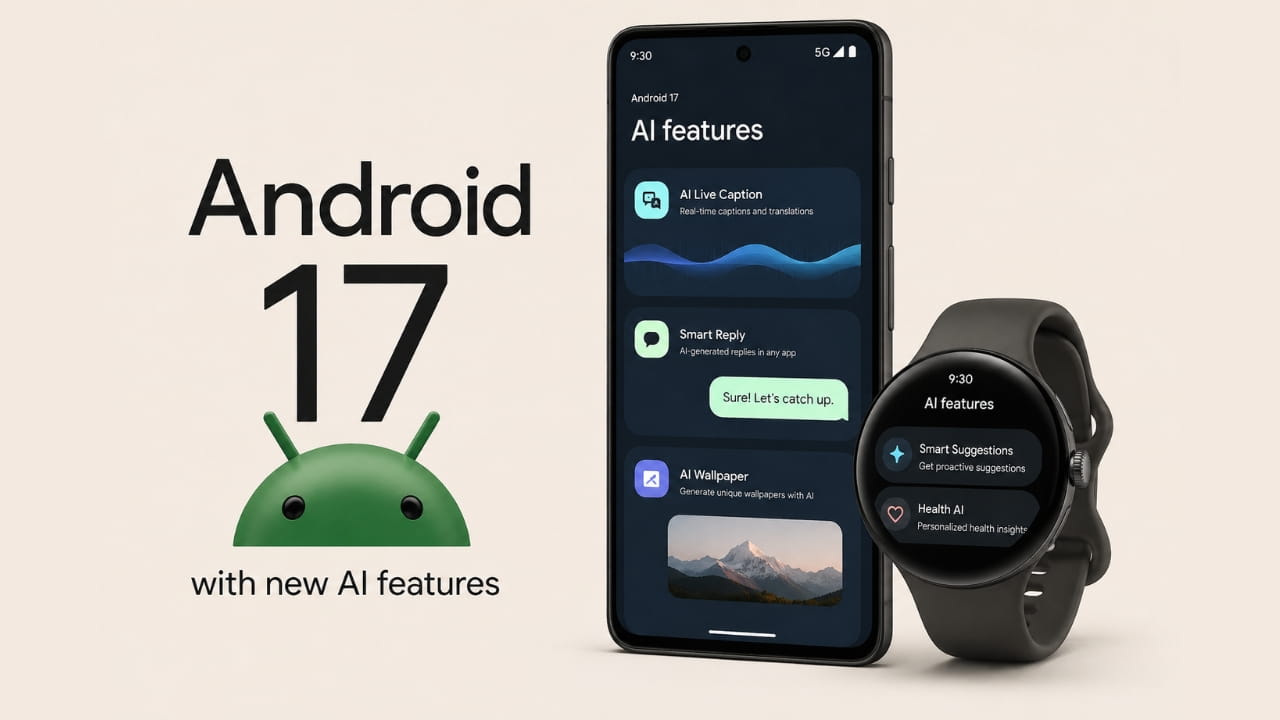
Google just released its highly anticipated mobile operating system to the public. The tech giant officially launches Android 17 alongside Wear OS 7 and a brand new June Pixel Drop. This major software update brings powerful new artificial intelligence tools directly into the hands of Pixel smartphone owners. While other companies promise future capabilities, Google delivers real tools like the Gemini assistant and enhanced multitasking features right now.
Creating Music and Video With Artificial Intelligence
The newest Pixel Drop highlights how aggressively Google pushes artificial intelligence onto personal devices. Users gain access to advanced models like Lyria 3, which allows them to generate original music tracks using simple text prompts or uploaded images. Furthermore, the Gemini Omni tool lets creators edit entire videos simply by having a natural conversation with their phone. For owners of the new Pixel 10a, the update adds advanced AudioLM-powered speech-to-speech translation tools to make international travel much easier.
Key Features of Android 17
Expanding Communication and Screen Reactions
Connecting with friends and audiences just became significantly smoother. Android Quick Share now works directly with Apple's AirDrop system on older devices like the Pixel 8a and Pixel 9a. Social media creators will love the new Screen Reactions feature, which lets them record a live selfie video over a screen recording simultaneously. This built-in tool eliminates the need for green screens or third-party editing applications when making reaction videos for Instagram or TikTok.
Multitasking With the New Bubble Bar
Moving between different applications on a small screen often frustrates busy professionals. Android 17 introduces the Bubble Bar, a smart user interface feature that turns active apps into small floating windows. Users can simply drag these floating bubbles around the screen to check maps or read notes while keeping their main application open. This specific tool greatly speeds up daily workflows and makes multitasking on mobile devices completely effortless.
| Feature | Description | Benefit |
|---|---|---|
| Lyria 3 | Generate music from text or images | Create original tracks instantly |
| Gemini Omni | Edit videos through conversation | No editing skills required |
| Screen Reactions | Record screen + selfie simultaneously | Easy reaction videos for social media |
| Bubble Bar | Floating windows for active apps | Effortless multitasking |
| Foldable Gaming Mode | 50/50 screen split for game + controls | Better gaming experience on foldables |
Optimizing Foldable Gaming and Battery Life
Mobile gamers using foldable screens receive a massive performance boost in this update. The software adds a dedicated foldable gaming mode that splits the large screen perfectly in half. This 50/50 layout places the game video on the top half and creates a virtual gamepad on the bottom section. Additionally, the operating system strictly limits background RAM usage, which prevents games from stuttering and noticeably extends the daily battery life.
Gaming and Performance Upgrades
- Foldable Gaming Mode: 50/50 screen split for game and virtual controls
- RAM Management: Strict limits on background usage for smoother gaming
- Battery Life: Extended daily battery through optimized background processes
- Wear OS 7: 10% battery improvement on smartwatches
- Pixel Watch Safety: Automatic emergency detection for crashes and falls
Enhancing Wear OS 7 and Smartwatch Safety
Smartwatch owners also enjoy major upgrades as Google rolls out Wear OS 7 globally. The update significantly improves the Google Pixel Watch by adding advanced emergency detection features. If the watch sensors detect a severe car crash, a hard fall, or a sudden lack of pulse, the device automatically contacts local emergency services. Wear OS 7 also increases overall smartwatch battery life by up to 10 percent and mirrors live updates directly from connected phone applications.
Upgrading Privacy and Parental Controls
Protecting personal data remains a massive priority for the Android development team. The software brings a new system contact picker that allows users to share only specific names with an app instead of exposing their entire address book. Parents gain access to expanded screen time limits and content-filtering tools that they can lock with a simple PIN. Furthermore, users can now quickly lock a missing phone using their biometrics through the upgraded Find Hub.
Frequently Asked Questions
What devices get Android 17 first?
Google pushes the new operating system directly to its own Pixel smartphones first. Other eligible Android devices from different manufacturers will receive the software update later in 2026.
What does the new Screen Reactions feature do?
This tool lets users record their phone screen and their face using the selfie camera at the exact same time. Creators use this feature to make reaction videos and digital tutorials without needing extra editing software.
How does the Bubble Bar work?
The Bubble Bar turns your active applications into small, movable floating icons on your screen. This design lets you quickly access notes, messages, or maps while actively using another full-screen application.
What new safety tools does the Pixel Watch have?
The Pixel Watch now features advanced health and safety sensors that monitor the user constantly. The smartwatch can automatically dial emergency services if it detects a car crash, a dangerous fall, or a sudden loss of pulse.
What are the new AI music and video tools?
Lyria 3 allows users to generate music from text prompts or images. Gemini Omni lets creators edit videos through natural conversation with their phone.
How does the foldable gaming mode work?
The mode splits the foldable screen into two halves. The game video appears on the top half while the bottom half becomes a virtual gamepad controller.
Final Thoughts
Upgrading your smartphone software provides vital security protections and exciting new tools that make daily life much easier. Check your device settings today to see if the Android 17 download is available for your phone.
Google continues to push the boundaries of what smartphones can do with this release. From AI-powered music and video creation to improved multitasking and enhanced safety features, Android 17 represents a significant step forward in mobile computing. The addition of Wear OS 7 upgrades ensures that smartwatch users also benefit from improved battery life and emergency detection capabilities.
Take a few minutes to install the update and immediately explore how these new artificial intelligence features can speed up your daily workflows.
Sources: Google Official Blog, Android Developers Blog, Google Pixel Support
Share this Telecom Update:
Leave a Comment
Your feedback is important to us. Submitted comments are kept private and are for internal review only.